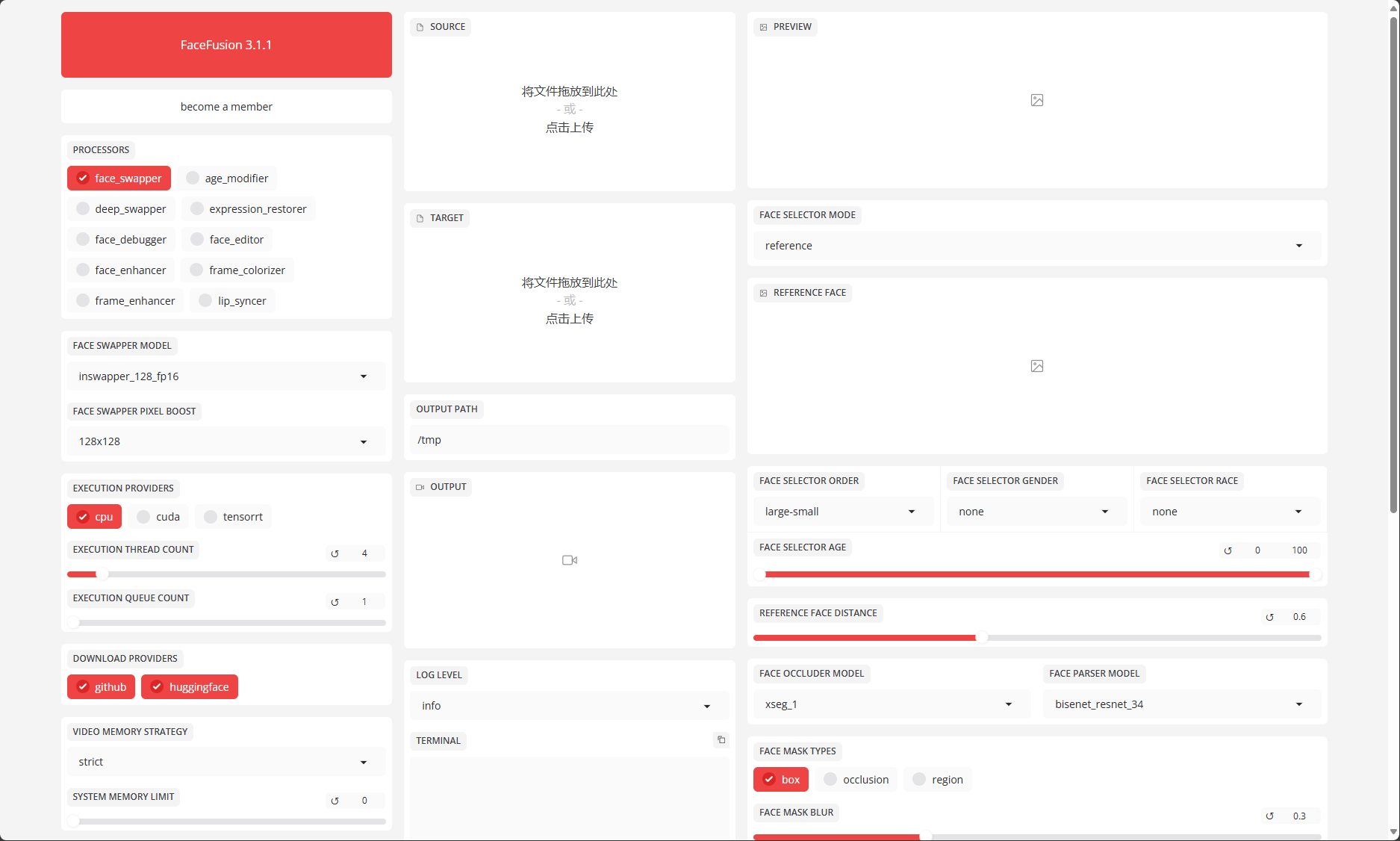
VM: GPU主机
安装步骤参考官网:
https://docs.facefusion.io/installation
# nvidia-smi
Mon Mar 24 18:33:51 2025
+-----------------------------------------------------------------------------------------+
| NVIDIA-SMI 570.86.15              Driver Version: 570.86.15      CUDA Version: 12.8     |
|-----------------------------------------+------------------------+----------------------+
| GPU  Name                 Persistence-M | Bus-Id          Disp.A | Volatile Uncorr. ECC |
| Fan  Temp   Perf          Pwr:Usage/Cap |           Memory-Usage | GPU-Util  Compute M. |
|                                         |                        |               MIG M. |
|=========================================+========================+======================|
|   0  Tesla P40                      Off |   00000000:00:08.0 Off |                    0 |
| N/A   23C    P8              9W /  250W |       3MiB /  23040MiB |      0%      Default |
|                                         |                        |                  N/A |
+-----------------------------------------+------------------------+----------------------+

+-----------------------------------------------------------------------------------------+
| Processes:                                                                              |
|  GPU   GI   CI              PID   Type   Process name                        GPU Memory |
|        ID   ID                                                               Usage      |
|=========================================================================================|
|  No running processes found                                                             |
+-----------------------------------------------------------------------------------------+

# yum install git
# yum install epel-release
# yum localinstall --nogpgcheck https://download1.rpmfusion.org/free/el/rpmfusion-free-release-8.noarch.rpm
# yum install ffmpeg ffmpeg-devel
#
# curl -LO https://repo.anaconda.com/miniconda/Miniconda3-latest-Linux-x86_64.sh
# bash Miniconda3-latest-Linux-x86_64.sh
# conda init --all
# conda create --name facefusion python=3.12
# conda activate facefusion
# conda install conda-forge::cuda-runtime=12.6.3 conda-forge::cudnn=9.3.0.75
# pip install tensorrt==10.6.0 --extra-index-url https://pypi.nvidia.com

# git clone https://github.com/facefusion/facefusion
# cd facefusion
# python install.py --onnxruntime {default, ...}
# conda deactivate
# conda activate facefusion

# python facefusion.py run --open-browser  启动程序

修改监听IP、端口、简单的用户认证,修改facefusion/uis/layouts/default.py文件,添加server_name='0.0.0.0', server_port=7861, auth=("admin","123456")
def run(ui : gradio.Blocks) -> None:
        ui.launch(favicon_path = 'facefusion.ico', inbrowser = state_manager.get_item('open_browser'), server_name='0.0.0.0', server_port=7861,auth=("admin","123456"))

强制下载所有模块
# python facefusion.py force-download